Best Doorbell Cameras 2025: Reviewed by Home Security Experts
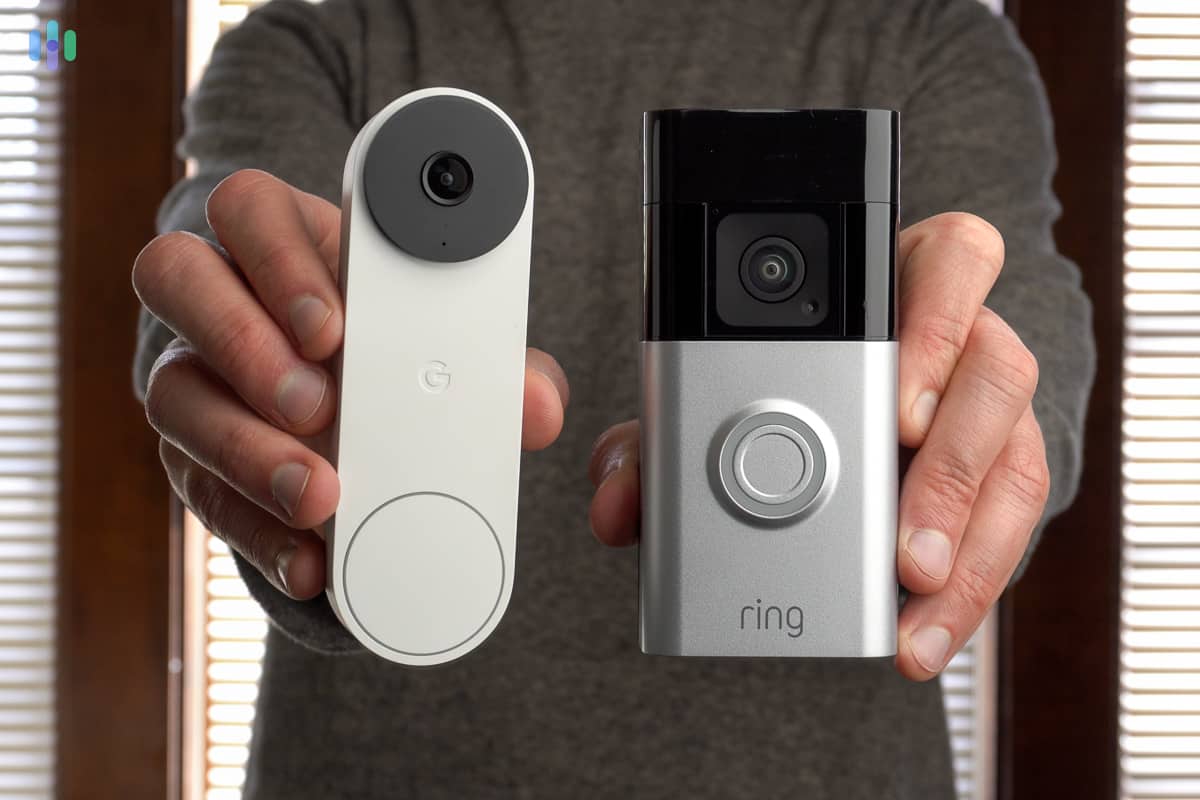

SimpliSafe’s Video Doorbell Pro has three features that made our daily home security routine safer and less of a hassle: smart motion detection, crisp two-way audio, and Active Guard Outdoor Protection, which was like having a private security guard posted outside our front door 24/7. The Video Doorbell Pro also gets high scores in ease of installation. It took us under an hour to get all our equipment set up, making SimpliSafe one of best DIY security systems we’ve tested.
>> Check Out: SimpliSafe Home Security System Review
What We Like
- Sends activity alerts before someone presses the doorbell
- Connects to almost any pre-existing doorbell wiring
- Impressive 162-degree field of view
- Easy to configure activity zones to ignore street traffic
What We Don’t Like
- Requires a professional monitoring plan to record video footage
- No wireless option
- Expensive compared other video doorbells on this list
- Limited smart home integration
Features
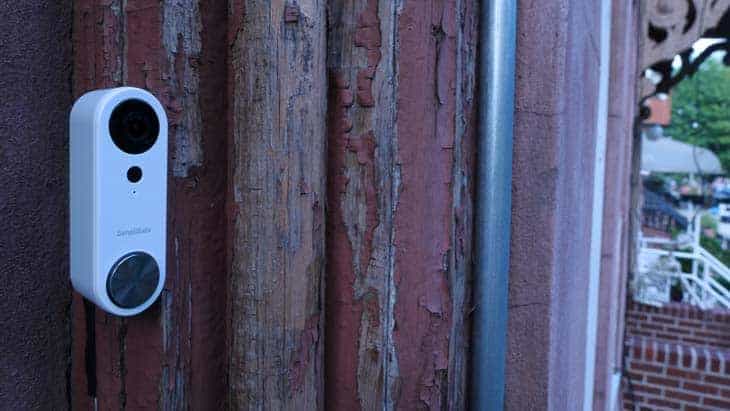
Our three favorite Simplisafe security features, point by point:
- Smart motion detection gives SimpliSafe cameras an edge at telling real threats from everyday front door activity; handy for busy front doors.
- Crisp two-way audio lets our SimpliSafe doorbell double as a reliable intercom.
- Active Guard Outdoor Protection lets SimpliSafe access our doorbell camera feed when it detects prowlers. They could speak directly to trespassers and even sound a siren as an extra precaution.
Pro Tip: In order to enable Active Guard Outdoor Protection, you’ll need a professional monitoring plan, a SimpliSafe security system, and at least one SimpliSafe outdoor camera.
>> Also: SimpliSafe Outdoor Camera Review
Subscription
You don’t need a monitoring plan to use the SimpliSafe Video Doorbell Pro. You’ll get motion alerts and be able to livestream footage in the SimpliSafe app. But if you want video recordings — and access to the Active Guard feature — you’ll need a paid subscription. Whatever you decide, switching between plans is easy, which is why SimpliSafe made our best no-contract home security list.
Here’s a brief rundown of SimpliSafe’s plans.
| Free Self-Monitoring | Self-Monitoring with Camera Recordings | Core | Pro | Pro Plus | |
|---|---|---|---|---|---|
| Camera recordings | No | Up to 30 days | Up to 30 days | Up to 30 days | Up to 30 days |
| Security System Professional Monitoring | No | No | Yes | Yes | Yes |
| Active Guard Outdoor Protection | No | No | No | Overnight (8 pm to 6 am) | 24/7 |
| Cost per month | Free | $9.99 | $31.99 | $49.99 | $79.99 |
Installation Options
If you already have a video doorbell and have some electrical experience, installing the Video Doorbell Pro isn’t challenging. We found SimpliSafe’s step-by-step instructions and video guide helpful, and got everything set up in under 30 minutes.
That said, if this is your first video doorbell, you should probably consider professional installation. SimpliSafe offers this service starting from $125.
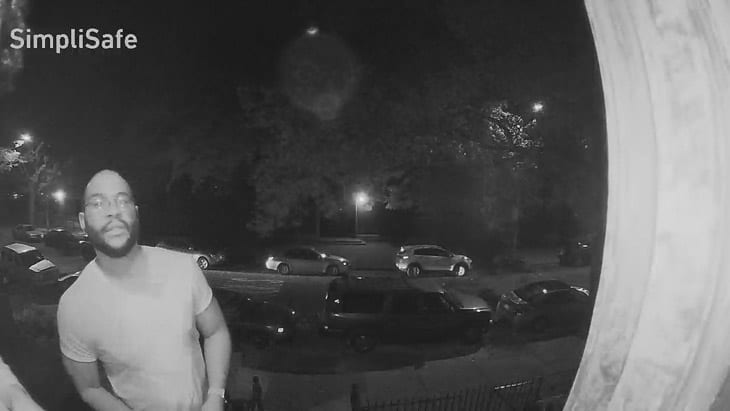
2. ADT Doorbell Camera – Best Security System Integration

ADT partnered with Google to offer the Google Nest Video Doorbell with ADT’s home security systems. When we reviewed ADT, the Nest Doorbell gave us high quality video and audio, smart features such as facial recognition, and access to ADT’s Trusted Neighbor feature. We also got to use it with other security features such as ADT professional monitoring.
>> Read More: The Best Professionally Installed Home Security Systems
What We Like
- Reliable professional monitoring
- Free DIY installation with no contracts
- Internal backup for one hour of video events
- Facial recognition powers intelligent alerts
What We Don’t Like
- Professional monitoring plans include Nest Aware, not Nest Aware Plus
- Short battery life of about three months
- Facial recognition capabilities are locked behind a subscription
- Professional installation requires a contract
Features
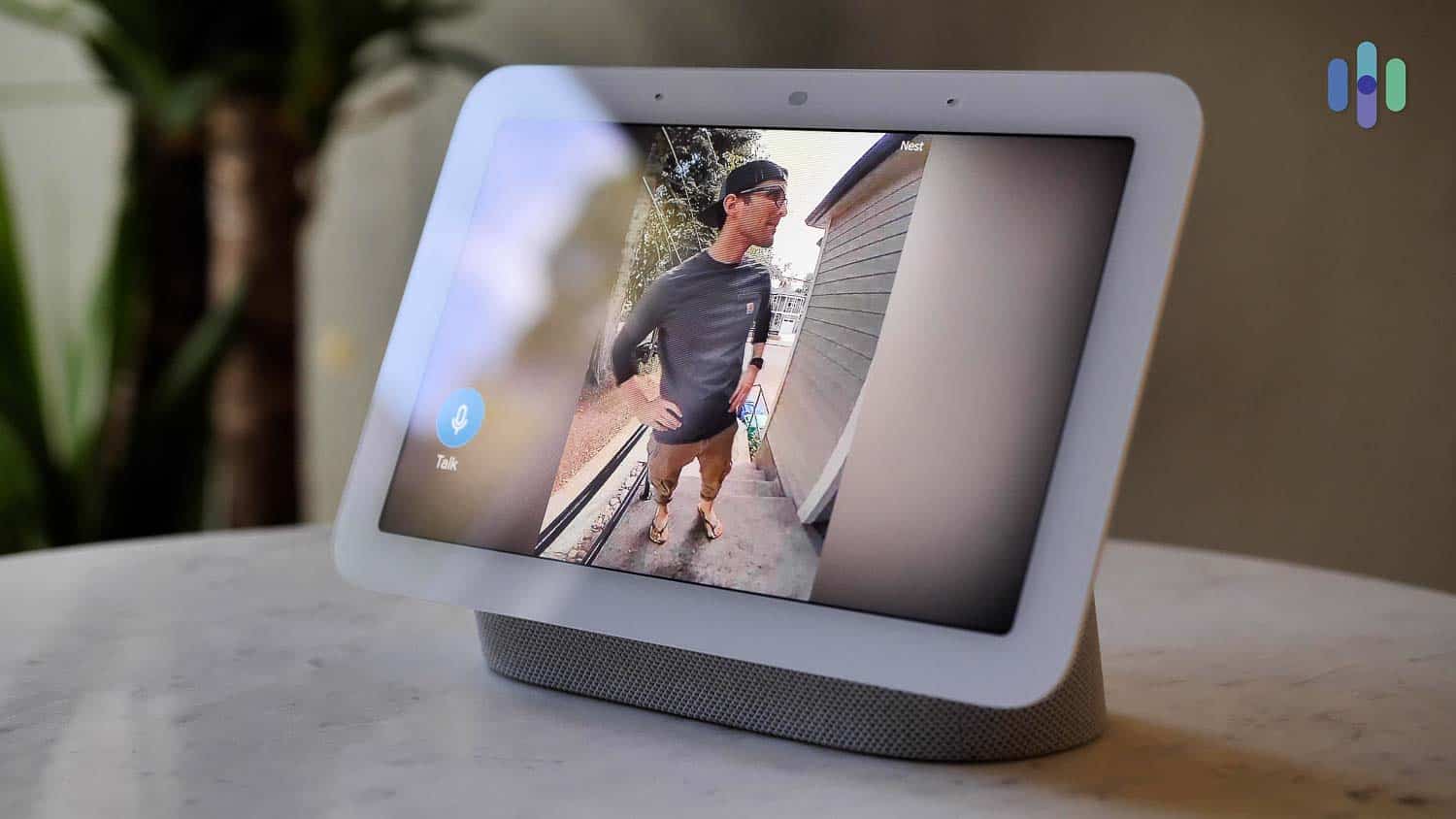
These are Nest Doorbell Camera’s stand-out features in our tests:
- With facial recognition your camera learns people’s faces and could tell you who’s at the front door. You can combine this with ADT’s Trusted Neighbor.
- ADT’s Trusted Neighbor assigns security permissions to people you trust. For instance, we used the feature to let our dog-walker in every Thursday between 10:30 AM and 11 AM.
- Smart home integration with other Google products makes ADT one of the best smart home security systems we’ve tested.
Subscription
Google’s Nest Aware subscription unlocks facial recognition and gives you 30 days of recorded video history, but that’s not needed if you sign up for ADT professional monitoring. We got Nest Aware when we bought ADT’s Complete plan ($49.99 per month). That plan also linked our entire security system with ADT’s professional monitoring service. In our experience, ADT has the most reliable monitoring in the industry with 12 redundant monitoring centers.
>> Check Out: ADT Current Deals and Discounts
Did You Know: Twelve redundant monitoring centers means that even if a freak incident knocks out 11 of their monitoring centers, your professional monitoring would stay active.
Installation
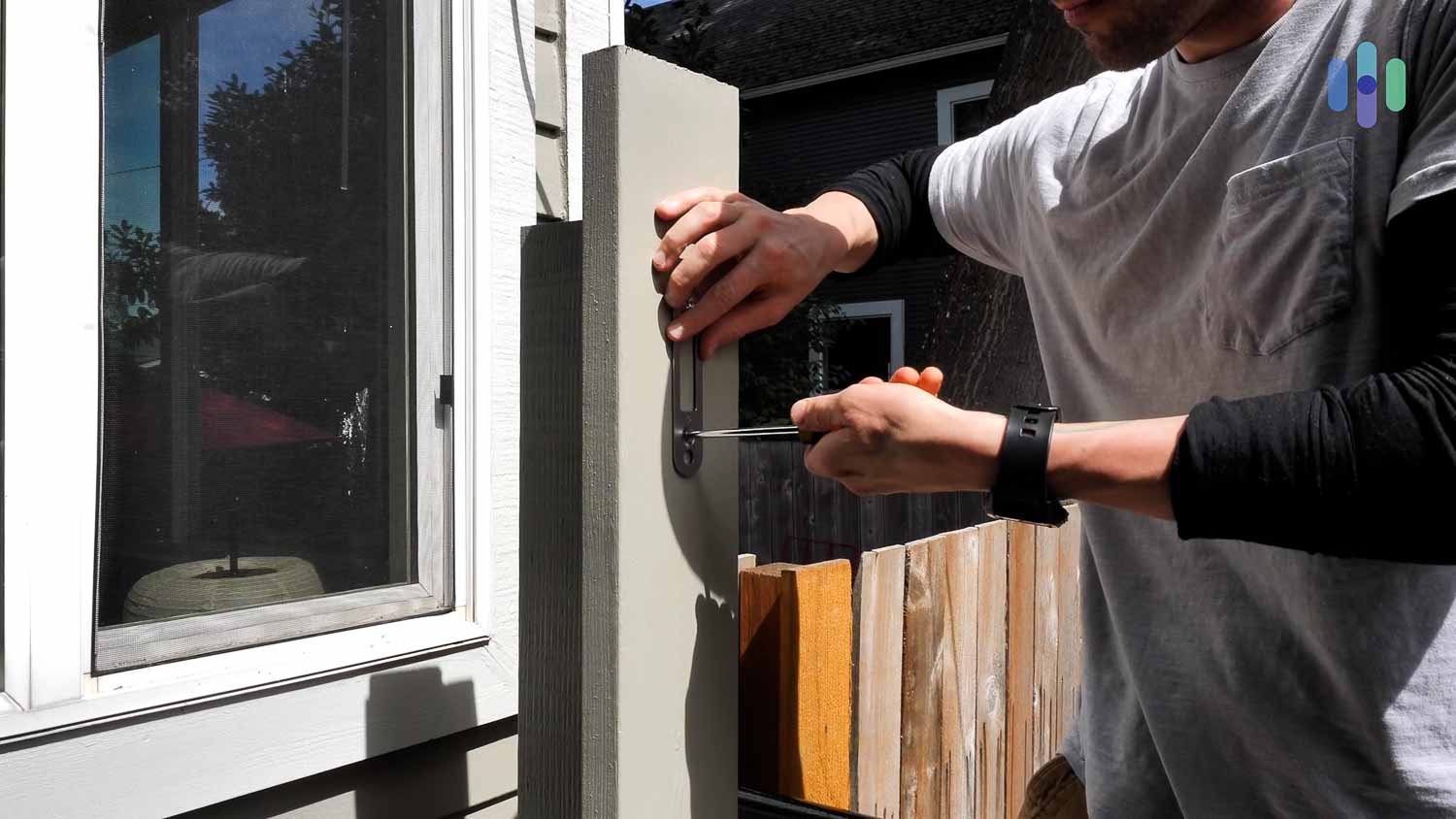
We found ADT’s doorbell easier to install than that of SimpliSafe because it’s battery-powered. It took us only five minutes after charging the Nest Doorbell overnight. Keep in mind, though, that we tested the ADT Self Setup system. If you go with a professionally installed ADT system, a technician will have to do it for you and it won’t be free. Professional installation starts at around $100.
3. Ring Wired Doorbell Pro – Best Premium Video Doorbell

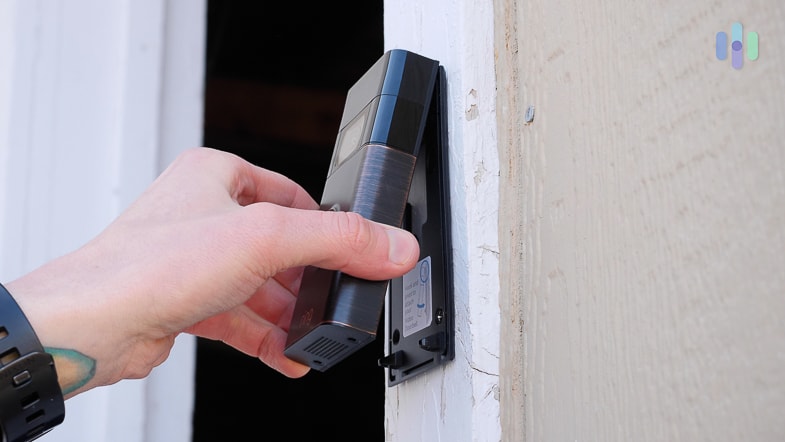
The Ring Wired Doorbell Pro (previously the Ring Video Doorbell Pro 2) is our favorite among Ring’s complete line of video doorbells. It’s got a wide 150-degree field of view, crisp night vision, and 1536p HD video quality with person detection to distinguish humans from animals, vehicles, and packages.
These specs make the it a little pricier than a Google Nest Doorbell or SimpliSafe’s Video Doorbell Pro, but if you’re looking for extra front-door security, this Ring security camera is worth the splurge.
Pro Tip: The Wired Doorbell Pro requires hardwiring, but if you want a wireless, battery-powered unit, Ring offers the Battery Doorbell Pro. It has the same specs, but because of the bulky battery that powers it, the profile isn’t as slim as the wired version.
What We Like
- Wide field of view
- Crisp two-way audio
- Advanced security features like 3D motion detection
- Seamless integration with Alexa
What We Don’t Like
- Subscription required to save recorded video
- Pricier than our other top picks
- Ring’s past privacy concerns
Features
Ring doorbells have sophisticated technology under the hood:
- 3D Motion Detection allows the Wired Video Doorbell Pro to detect and track the movement of incoming visitors quick enough to get full footage of their entrances and exits.
- Bird’s Eye View literally maps out visitors’ paths to your front door with a dotted line. If you’ve had snoopers, or a break-in, you can see where the intruders came from, and tighten up security accordingly.
- Alexa integrates seamlessly with the Wired Pro and can greet, take messages, or give delivery instructions.This feature isn’t free, however. You’ll need a Ring Home plan, which includes cloud storage.
FYI: The Wired Doorbell Pro’s 3D motion detection is a step-up from the PIR motion detection we see in most doorbell cameras. Instead of infrared lights, it uses radar to detect movement.
Subscription
Just like SimpliSafe’s doorbell camera, Ring video doorbells work without a subscription if you’re okay being limited to motion alerts and live feeds. Recordings require a subscription to Ring Home.
The good news is, Ring Home plans are affordable. If you have just one video doorbell, it costs $4.99 per month to store event clips for up to 180 days. You can keep videos in the cloud for six times as long as Nest Aware allows. If you have multiple Ring doorbell and security cameras, we recommend that Ring Home Plus plan. It costs $9.99 per month and covers unlimited cameras.
Did You Know: One good reason to consider a video doorbell? Porch piracy. In 2024, porch pirates stole a staggering $12 billion worth of goods off our front porches.2
>> Read More: 2024 Package Theft Annual Report and Statistics
Installation
Installing the Ring Wired Doorbell Pro is a DIY project. We managed it in under an hour, but you will need a 16 to 24 VAC transformer. If you don’t already have an existing doorbell setup or provisions for one, you can still use a power adapter, though this might require extra drilling. If you have any questions about your installation, we recommend getting in touch with an electrician or a Ring partner like HelloTech.
4. Wyze Video Doorbell – Most Affordable Video Doorbell

Editor’s Note: Wyze no longer carries the Wyze Video Doorbell. However, the Wyze Video Doorbell v2, which we haven’t tested yet, offers similar features with a redesigned body and improved 2K video quality.
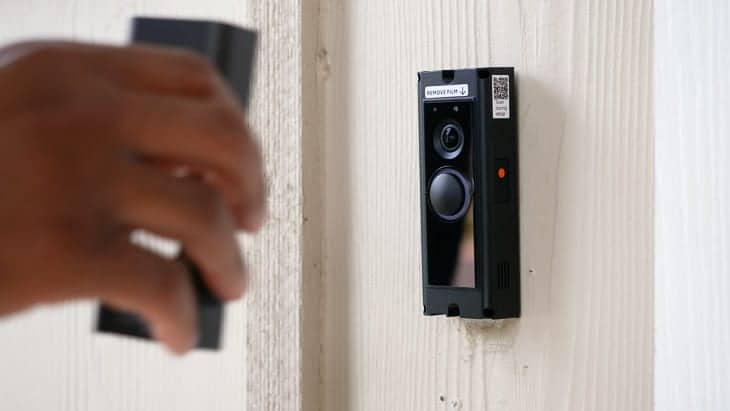
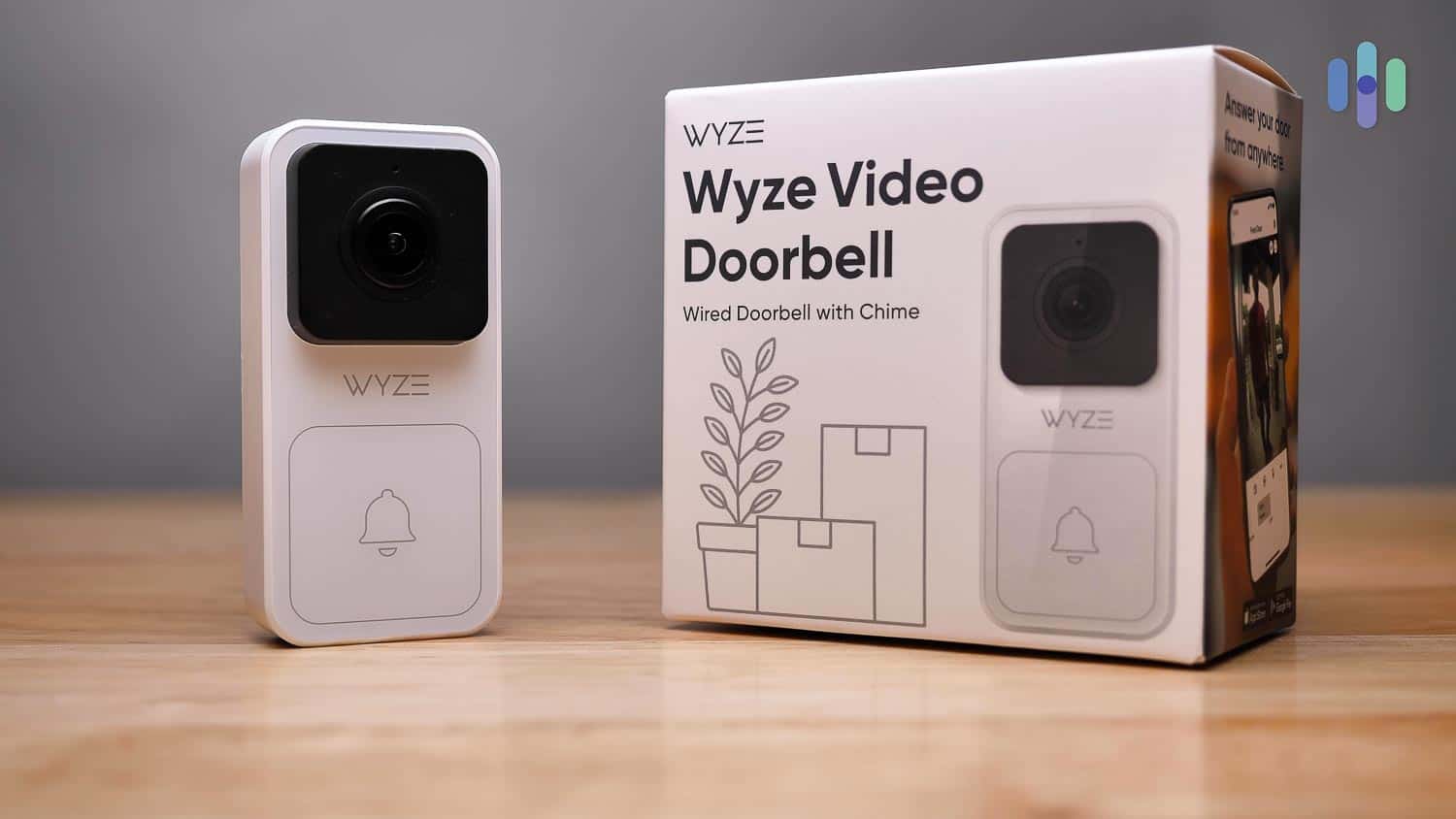
The Wyze Video Doorbell is probably the most clunky device on this list, but what it lacks in aesthetics, it more than makes up for in value. For less than $30, you get 1080p video with a 120-degree viewing angle. The Wyze doorbell also has color night vision via its Starlight CMOS sensor. If you want to add cloud storage, the Cam Plus plan starts at $2.99 per month for a single camera, making it one of the most affordable camera options on this list.
What We Like
- Affordability
- Good image quality
- LED light built-in
- Continuous power
What We Don’t Like
- Need to pay extra for person detection
- Does not control your existing doorbell
- No local storage
- Narrow field of view
Features
With a price tag under $30, the no-frills Wyze Video Doorbell gives you a doorbell with an HD camera connected to your Wi-Fi. If you want more advanced features like facial recognition, we recommend sticking with the Google Nest Doorbell through ADT (above.)
We liked Wyze’s 3:4 aspect ratio, giving us a full head-to-toe view of anyone standing in front of our door. However, the Wyze Doorbell’s camera does have its blindspots. If someone were to creep along the front of our house, they could probably evade detection.
Subscription
You don’t need a subscription to use the Wyze Video Doorbell, but we recommend getting at least the $2.99-per-month Cam Plus plan to access recordings. It’s even cheaper than Ring’s Basic subscription. On top of that, the Wyze plans unlock smarter alerts through AI-powered person, package, and vehicle detection. Those features may not be as advanced as Nest’s facial recognition, but you won’t find them in doorbell cameras as affordable as the Wyze Video Doorbell.
Here’s a breakdown of Wyze’s plans.
| Features | No Plan | Cam Plus | Cam Unlimited | Cam Unlimited Pro |
|---|---|---|---|---|
| Monthly price | $0 | $2.99 per camera | $9.99 (unlimited cameras) | $19.99 (unlimited cameras) |
| Alerts | General | Person, Package, Vehicle | Person, Package, Vehicle | Person, Package, Vehicle |
| Unlimited Event Recording | None | 14 days | 14 days | 60 days |
| Facial Recognition | No | No | Yes | Yes |
| Emergency Dispatch | No | No | No | Yes |
Update: Wyze now offers facial recognition through its Cam Unlimited and Unlimited Pro plans. We found it spotty, though, even after a month of testing it with multiple Wyze cameras. They still fail to recognize us despite seeing our faces everyday. If you want facial recognition, stick with the Nest Doorbell.
Installation
The Wyze Doorbell connects right to your existing doorbell setup, so if you already have the provisions in place, you’re set. It takes a few extra minutes and some know-how to get the wiring right, but this is our recommended security approach.
Pro Tip: The battery-powered Wyze Video Doorbell Pro is a second option. It’s more expensive (about $100), but its six-month battery life is good with a 1440p Full HD camera, a wide viewing angle (150 degrees), and a 1:1 aspect ratio similar to the Ring Wired Doorbell Pro.
5. Nest Doorbell – Best Facial Recognition

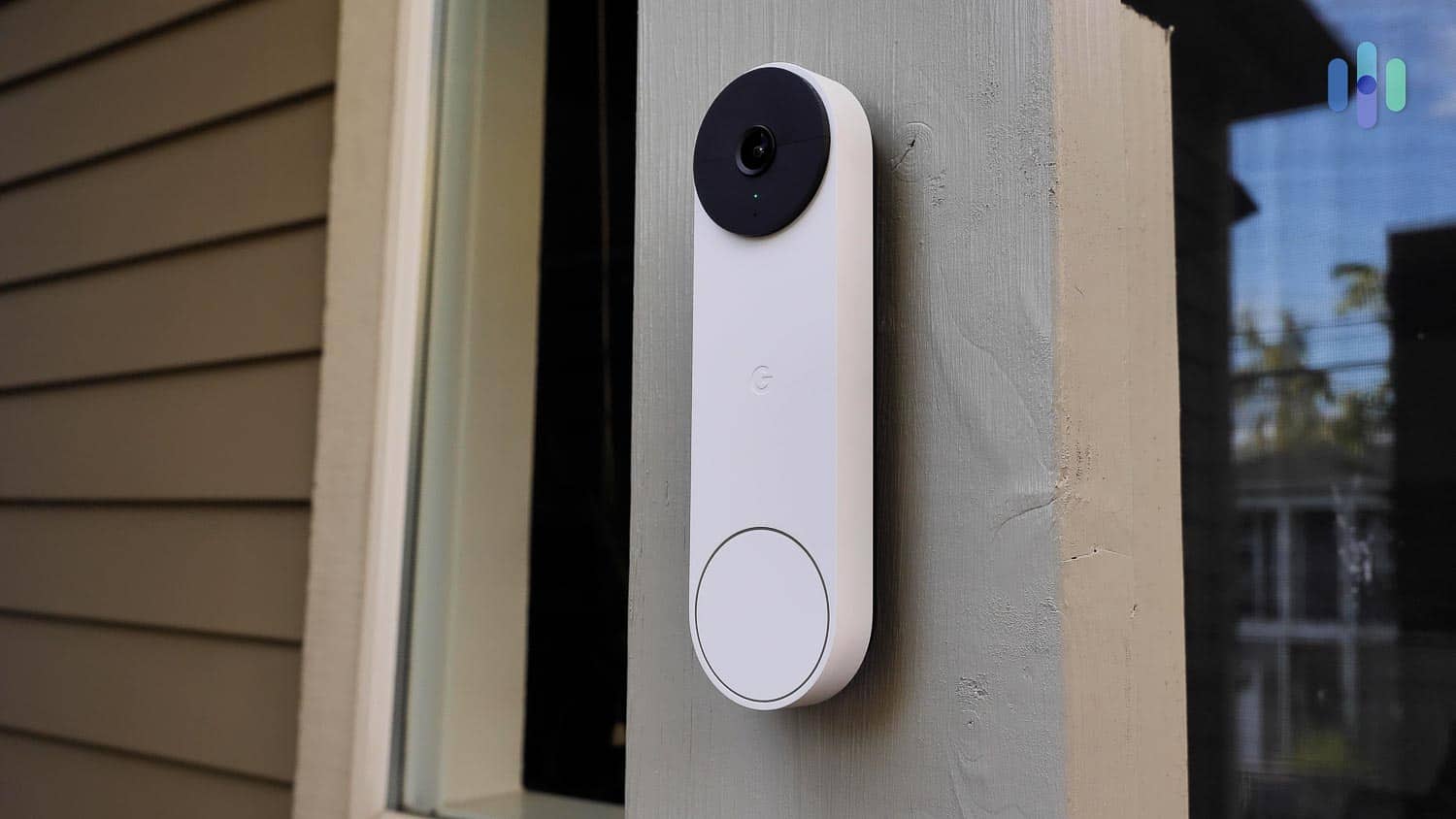
The Nest Doorbell is the best doorbell camera we tested with facial recognition. This made our front door security significantly smarter. When we connected our Nest Doorbell to our smart lock, for instance, we could open the door for our dog walker. Just note that you’ll need a Nest Aware subscription if you want a similar set-up. However, at $8 per month for all your Nest cameras and 30 days of cloud storage, Nest Aware is one of the cheaper cloud subscriptions we’ve tested.
Pro Tip: The Nest Doorbell works well with Google Assistant and all Nest Home products, including one of favorites, the Nest Hub Max.
What We Like
- Innovative facial recognition feature
- Sleek, stylish design
- Worked seamlessly with Google Assistant and other Nest products
- Users set custom home and away rules
What We Don’t Like
- Tricky to install and setup
- Subscription required to store video
- Relatively expensive device
- Wired version requires a chime box to function
Features
Our Nest Doorbell worked great as a standalone device, but because it’s a Google product, it also worked as part of our larger Nest camera system with both our Google Nest Hub smart display and our Google Nest Mini smart speaker.
As you’d expect, the Nest Doorbell also works seamlessly with Google Assistant voice commands. A simple question like “Google, what’s on our doorbell?” would wake the camera and show us live streaming video.
Pro Tip: If you choose to use the Nest Doorbell’s facial recognition feature, be sure to place your doorbell openly away from any private spaces to avoid privacy violations.3
Subscription
For full professional monitoring, you’ll need to use your Google Nest Doorbell with ADT (see above), but with a cheap Nest Aware plan, you can still take advantage of the Nest’s facial recognition. This feature cuts down on unnecessary notifications and gives automatic access to people you trust, including your kids, when paired with a smart lock.
A Nest Aware subscription will also give you 30 days worth of cloud storage. Nest Aware costs $8 per month; the more advanced Nest Aware Plus costs $15. Here’s a breakdown of the two services.
| Nest Aware | Nest Aware Plus |
|---|---|
| $8/month or $80/year | $15/month or $150/year |
| 30-day event history | 60-day event history |
| No continuous recording | 10-day continuous recording |
| Familiar Face Alerts | Familiar Face Alerts |
FYI: Privacy advocates have raised concerns about facial recognition software in video doorbells. To protect your own privacy, you should avoid using cameras in any sensitive areas such as bedrooms and bathrooms.
Video Quality
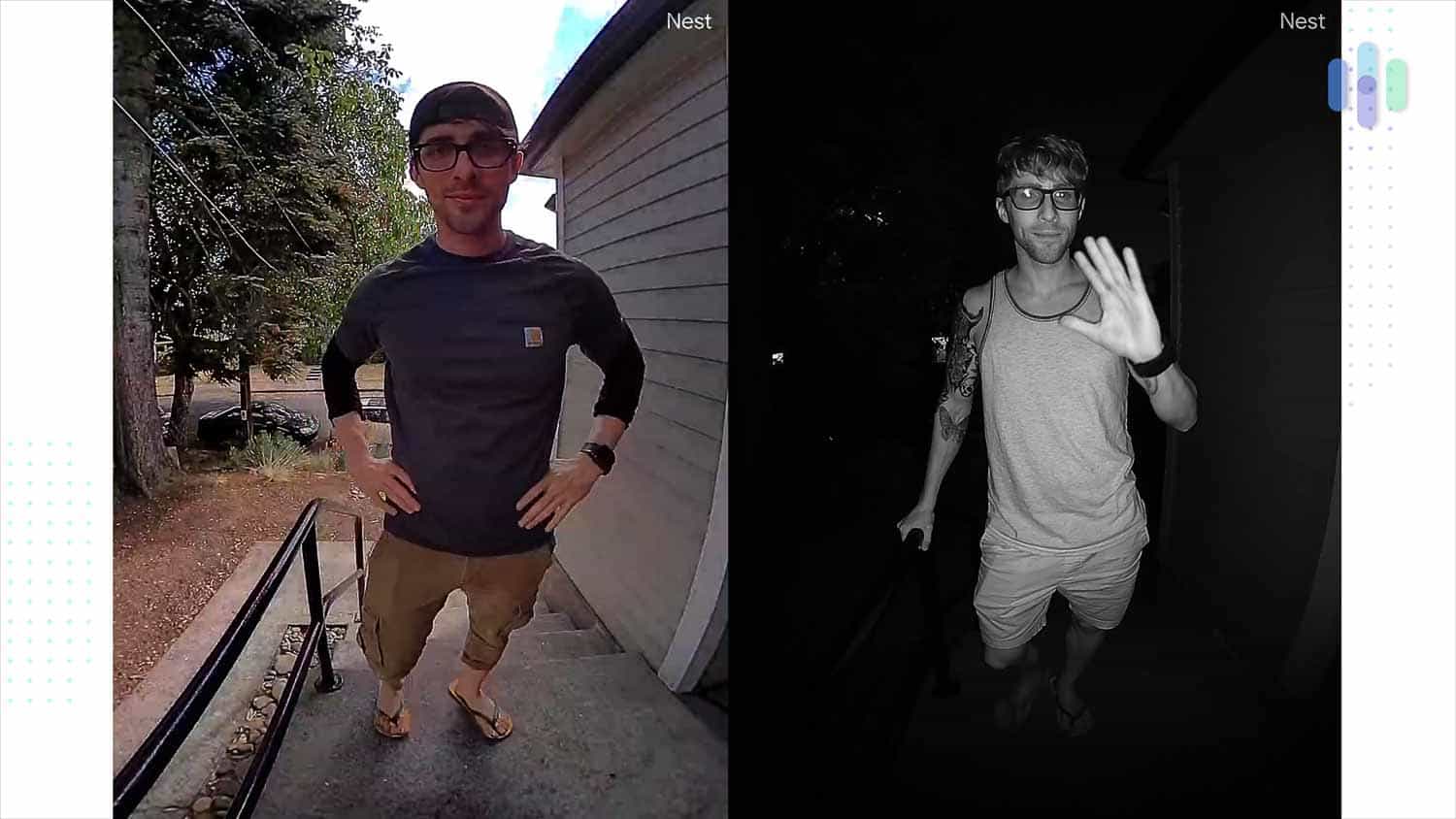
The Nest doorbell’s 1280p HD video resolution beats the industry standard and the more expensive Ring Wired Doorbell Pro, even if the squarish field of vision doesn’t give you as much real estate. The Nest Doorbell’s infrared night vision uses 850nm LED sensors, which allowed us to see quite well at night, too. See below for a side-by-side comparison.
6. Arlo Video Doorbell – Best Smart Motion Detection

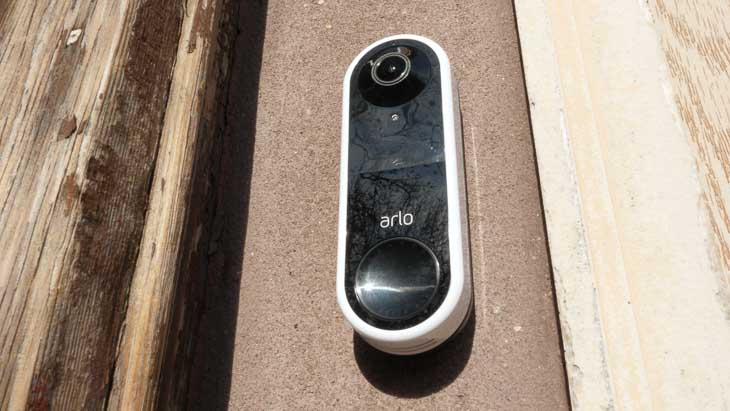
The Arlo Video Doorbell is another solid option for smart front door monitoring with person, vehicle, and package detection for a little as $7.99 per month per camera. Arlo’s stand-out feature is package detection, which identified packages with 100 percent accuracy in our tests.
What We Liked
- Integration with both Alexa and Google Assistant
- 1536p or 2K resolution
- Seven days of free cloud video storage
- Wired and wireless models available
What We Didn’t Like
- People, pets, and packages detection with monitoring subscription only
- Confusing app
- No IP rating
- No professional installation
Features
The Arlo Doorbell uses artificial intelligence to identify people, pets, and packages. Its package recognition accuracy made it a particularly valuable security tool against porch pirates. We got alerts when packages were dropped off and picked up from our front porch. However, to enable this feature, we needed to sign up for a subscription.
Subscription
The bad news is that Arlo subscriptions are on the pricey side. It already costs $7.99 for one camera, compared to Nest Aware that covers unlimited Nest doorbells and security cameras for about the same price. You get a longer event history of up to 60 days, but then again, Ring offers 180 days of video history for only $4.99 per camera.
The redeeming factor is that you get 15 percent off on future Arlo purchases if you have a subscription. If you plan on building out a comprehensive Arlo system, a subscription will save you a lot of money.
Installation
Unfortunately, Arlo doesn’t have an installation service like ADT or SimpliSafe does. That said, Arlo’s doorbells are easy to install, even if you have to wire one. If you’re not confident or haven’t done this kind of installation before, we recommend hiring a professional.
7. Logitech Video Doorbell – Best Video Doorbell for Siri

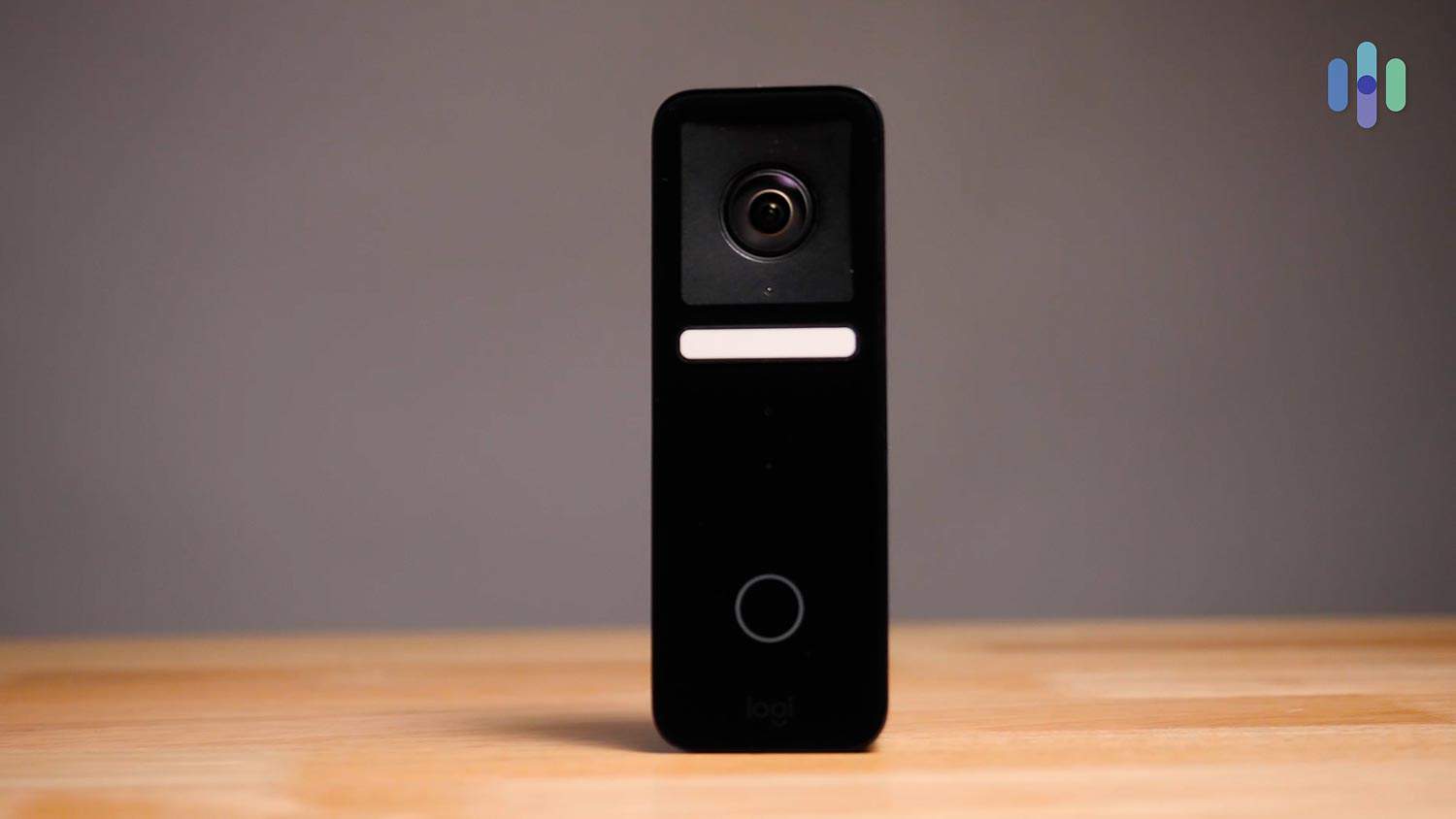
The Logitech Circle View Doorbell has industry-standard HD video with a wide 160-degree viewing angle, echo cancellation (for clearer conversations), and color night vision. Impressively, the Logitech Circle View is one of the only video doorbells we’ve tested that works with HomeKit, Apple’s smart home ecosystem, leveraging iCloud for video storage.
What We Like
- Secure cloud storage
- Easy installation process
- 1600p HD video quality
- Facial recognition
What We Don’t Like
- Can’t view video feeds from Androids
- No battery option
- Narrow viewing angles
- Only works with HomeKit
Features
It’s not the most feature-rich doorbell camera out there, but the Logitech Circle View has these features going for it:
- Color Night Vision. The Circle View’s infrared night vision, combined with its 4000K LED light strip, gave quality color footage even at night.
- Motion Detection. In our tests, the Circle View accurately distinguished between vehicles, inanimate objects, and moving animals/humans.
Subscription
Logitech doesn’t currently have any monitoring plans. This means zero additional monthly fees. However, it can still record event footage and save it in your iCloud drive. That’s a positive if you’re already an iCloud user, especially if you have an iCloud+ subscription.
Another thing to note is that unlike Ring, Nest, and most other brands on this list, recordings won’t be deleted after a set number of days. As long as you have iCloud storage space, you can keep your Logitech video doorbell recordings for as long as you want.
Installation
You can get your Logitech doorbell professionally installed for a $100 fee. However, the process is pretty straightforward so we went the DIY route, connecting the AC adapter to our existing doorbell wiring and attaching the chime kit to our existing chime wiring. It took us about a half hour.
Pro Tip: The Circle View can’t pair with Alexa or Google Home, and you can’t stream your footage on an Android device, so we recommend this video doorbell for Apple families only.
8. Lorex Video Doorbell – Best Video Doorbell with Local Video Storage

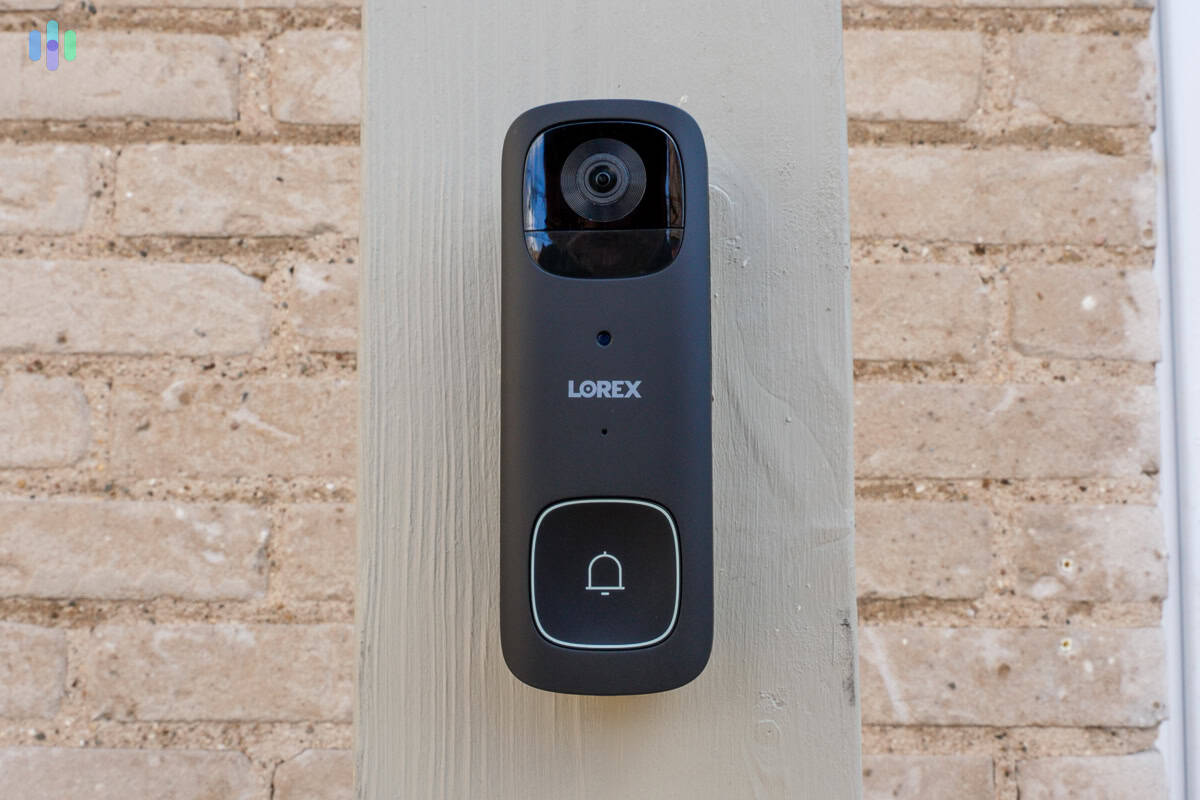
The Lorex 1080p HD Wired Doorbell is a final hardwired option that, at $79.99, is considerably cheaper than most doorbells on this list. The Lorex also has local storage via a microSD card, but no professional monitoring or cloud storage options. So, from installation to streaming, this is a truly DIY doorbell.
What We Liked
- Affordable price
- Local storage of up to 64 GB
- No monthly fees
- Infrared night vision
What We Didn’t Like
- No professional monitoring options
- No cloud storage
- Requires hardwiring
- No person detection
Features
The Lorex 1080p Wired Video Doorbell is small and unobtrusive (4 by 1.7 inches) Video quality is high with a wide 160-degree field of vision, infrared night vision, two-way audio, and up to 64GB of local storage.
>> Read More: Lorex Security Cameras Features and Pricing
Subscription
Like Logitech, Lorex doesn’t offer professional monitoring services or cloud storage. Instead of Logitech’s iCloud storage, though, Lorex stores videos locally. This approach has pros and cons. On the upside, you don’t have to pay a subscription and your videos are stored onsite. This significantly reduces the risk of privacy breaches. On the other hand, local storage can get corrupted, destroyed, or stolen.
Installation
In general, we prefer hardwired video doorbell systems for one simple reason: no batteries required. Fortunately, installing the Lorex Video Doorbell was generally hassle-free. However, as with our other top picks, if you haven’t done this before, you might want to call an electrician.
link